Hatch Restore 3 vs Loftie Clock: Sunrise or Two-Stage Sound?

US buying comparison · Checked September 5, 2026

Hatch Restore 3 is the more direct choice when you want a gradual sunrise built into the same device as your alarm and evening audio. Loftie Clock suits a different priority: a two-stage sound alarm you can configure on the clock after setup. Its small nightlight does not make it a sunrise alarm. That requires the separate Loftie Lamp. Hatch alarm guide, Loftie Clock.

Everyday use raises a few more questions. How often will you change your alarm? What happens when your phone is elsewhere? Which features remain without a membership? This comparison separates those questions so you can choose for an ordinary weekday, not just an appealing product photograph.

Author: TOPCLOCKS Editorial TeamUpdated: September 5, 2026
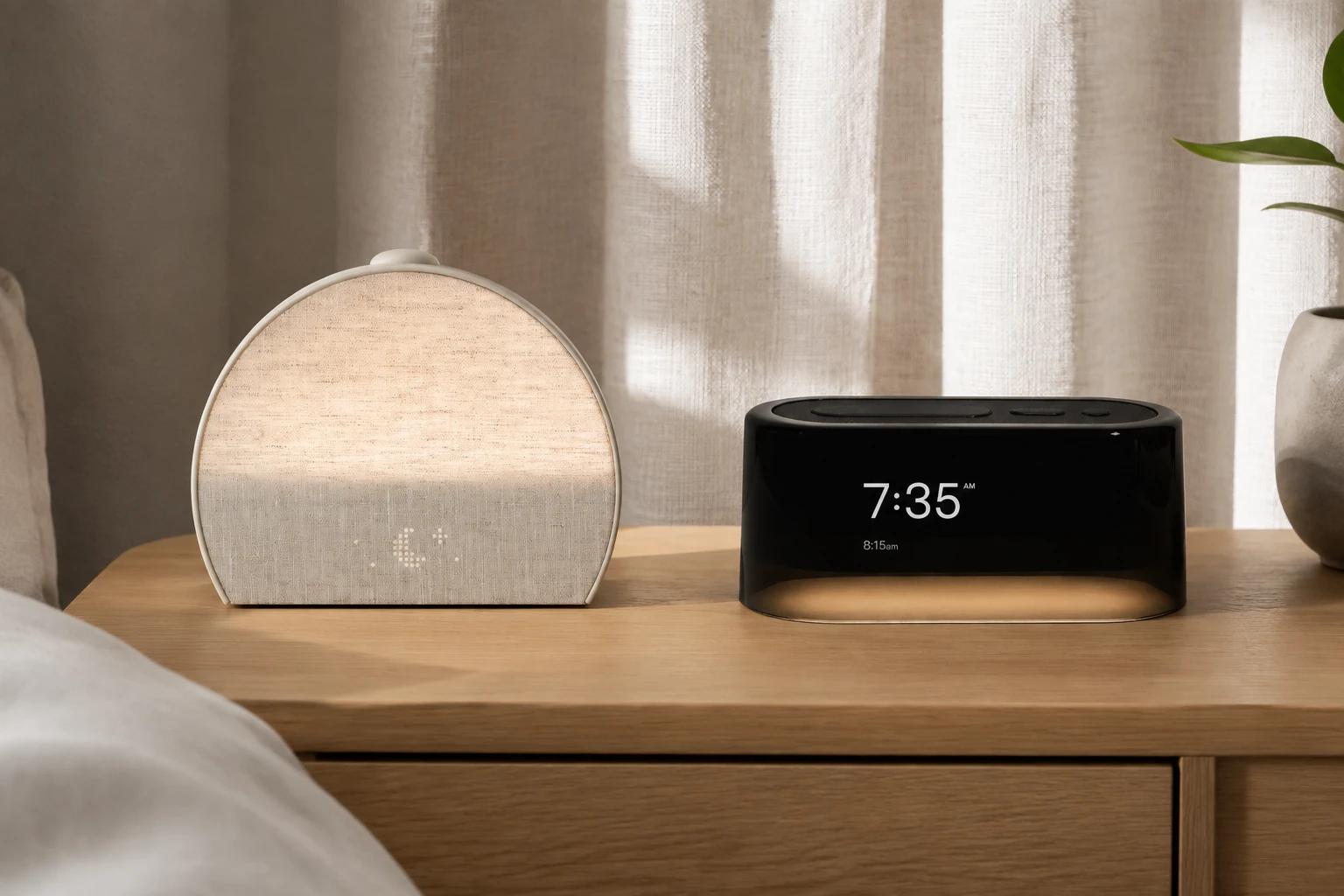
Putty Hatch Restore 3 beside a black Loftie Clock on an oak bedside console
Hatch includes sunrise lighting; Loftie Clock uses staged sound. AI-generated illustration based on manufacturer images, not a performance test.

Which change do you want at your bedside?

Choose Restore 3 if your first requirement is light before the alarm, and you are comfortable arranging the routine in an app. Choose Loftie Clock if you prefer sound, want to make changes from the bedside controls, and do not need a sunrise lamp in the purchase.

Neither choice requires buying every optional service the brand advertises. A useful budget starts with the exact device and the features you would still use after any trial ends. A discount on an unwanted bundle is not a saving for your routine.

Write down one nonnegotiable requirement before comparing colors or audio libraries. “I want the room to brighten before sound” points toward Hatch. “I want to change tomorrow’s alarm without retrieving my phone” points toward Loftie. If neither requirement describes you, our alarm-clock comparisons cover other decisions, including simpler devices.

This is a documentation-based buying comparison, not a report of nights spent testing either clock. The scenarios below are planning examples; they are not measured wake-up results.

Hatch Restore 3 vs Loftie Clock: the full comparison

Hatch Restore 3 and Loftie Clock: documented differences
Decision pointHatch Restore 3Loftie Clock
Main morning cueGradually brightening light, with an optional sound at the alarm timeShort Wake-Up sound followed by a later Get-Up sound
Sunrise in this purchaseBuilt into Restore 3No; the separate Loftie Lamp supplies sunrise lighting
First setupHatch Sleep app and Wi-FiLoftie app and compatible 2.4 GHz Wi-Fi
Changing an alarm afterwardConfigure it in the appUse the clock’s alarm menu or the app
Everyday controlsPhysical routine, snooze, volume, light on/off, and alarm controlsPhysical sound, alarm, nightlight, and settings controls
Light brightnessAdjust in the app; the light button switches it on or offNightlight brightness is available in the clock’s settings
A dark displayCan hide the clock display and reveal the time by tappingBlackout Mode switches off the display
Included audioFree selections across evening routines, sleep, and alarms; paid extras are separateIncluded clock audio does not require Loftie+
Playing your own audioNot a Bluetooth speakerBluetooth speaker function available
Deliberate offline useHatch documents Wi-Fi as required; do not assume equivalent offline operationDocumented Offline Mode after setup, updates, and time synchronization
Loss of wall powerHatch instructs owners to keep Restore 3 plugged inRechargeable backup is documented; still intended to remain plugged in
The main compromiseApp-based customization even though routine operation has physical controlsNo built-in sunrise; learn the two-stage timing and separate alarm-volume setting

The rows are not equally important. A built-in sunrise is a deciding feature if that is why you are replacing your phone alarm; it adds little to the comparison if you want the room dark until you stand up. Likewise, local alarm editing matters more when your work hours change than when you follow one weekly schedule.

Table evidence: Hatch controls, Hatch brightness, Hatch included features, Loftie setup and connectivity, Loftie controls. Operational limits are explained below.

A closer look at each clock

Amazon links are affiliate links. As an Amazon Associate, TOPCLOCKS earns from qualifying purchases. Check the exact model, seller, delivery, and current offer before ordering.

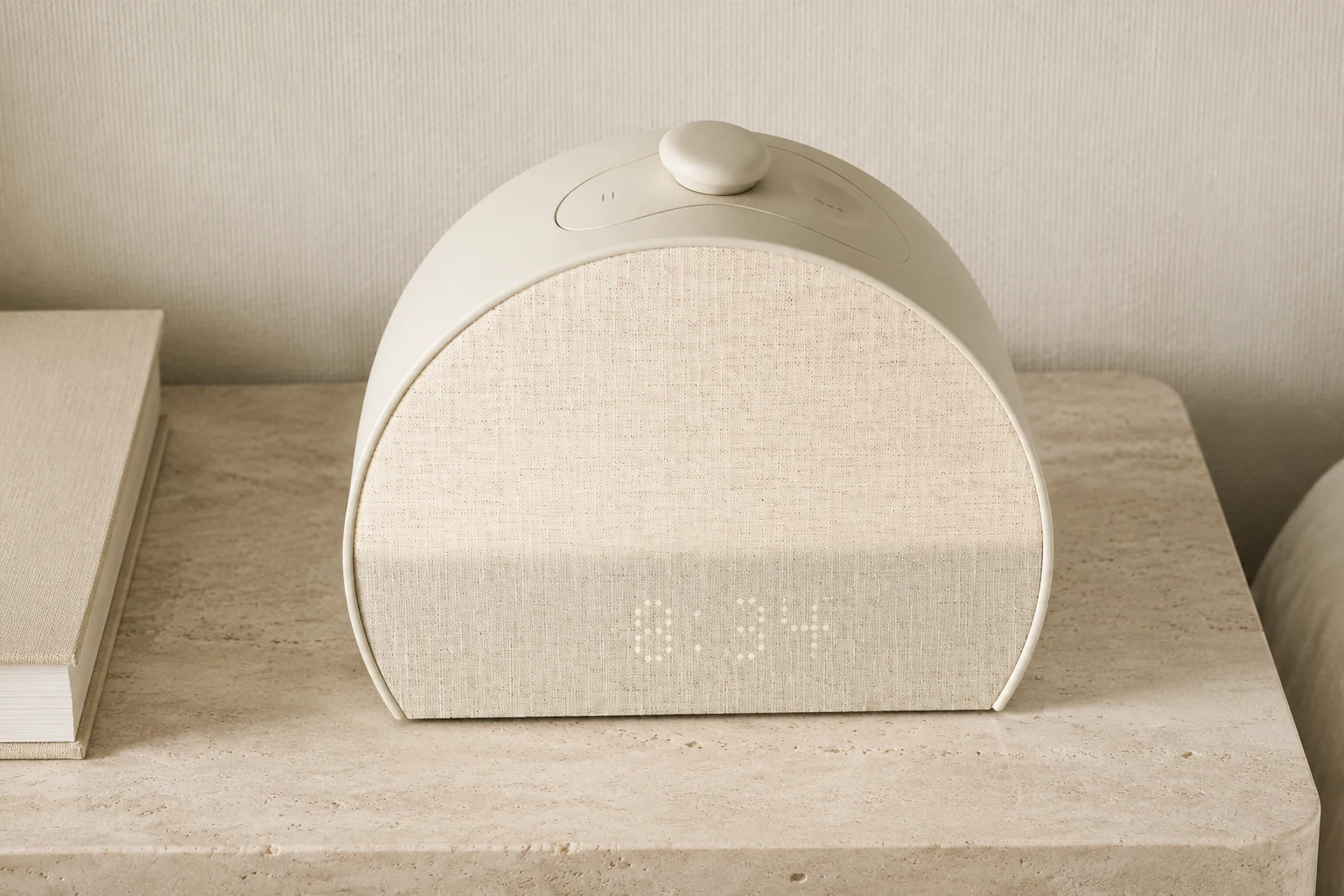
Putty Hatch Restore 3 with its fabric front and large top control on limestone
Restore 3 has a large top control for routine operation. AI-generated illustration based on manufacturer images.

Built-in sunrise

Hatch Restore 3: for an integrated light-and-sound routine

Restore 3 makes sense when you are buying the morning light deliberately, rather than treating it as a decorative extra. It fits a bedside routine you configure, keep, and operate without reopening the app every evening.

Read the short model assessment

The physical controls support that pattern. The large button starts or advances the evening routine, while a long press stops it. In the morning, a press snoozes and a long press stops the alarm. Rotation adjusts volume. Those actions are convenient to separate from the initial work of choosing your settings. Restore 3 controls guide.

The compromise is flexibility at the bedside. If you expect to rewrite tomorrow’s schedule or fine-tune the light without a phone, read the controls section before buying. A product can reduce nightly phone use without making every setting local.
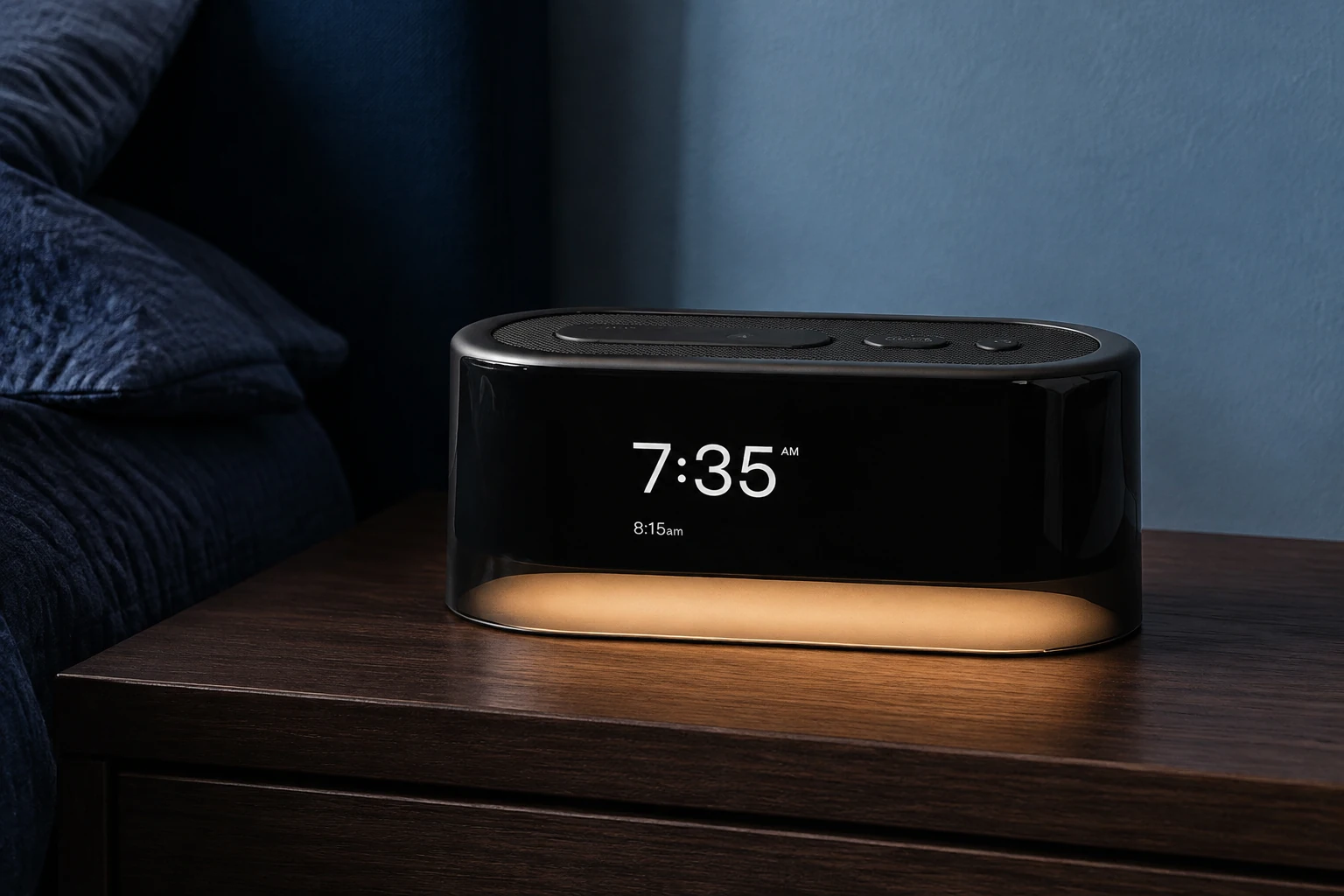
Black Loftie Clock with three top controls and a warm lower nightlight on walnut
Loftie Clock has a small nightlight, not a sunrise lamp. AI-generated illustration based on manufacturer images.

Two-stage sound

Loftie Clock: for local controls and an audio-led morning

Loftie’s appeal is less about illuminating the room and more about how you operate the clock. After setup, its menus let you manage the device from its buttons. You do not have to choose between using the app forever and giving up access to the settings. Loftie Clock 101.

Read the short model assessment

Consider it if you leave your phone outside the bedroom but still want to change an alarm at bedtime. The trade-off is a menu to learn. Test the controls while fully awake instead of discovering the difference between snooze, stop, and settings during your first rushed morning.

Picture a late change to tomorrow’s work shift. If your phone is charging downstairs, would you retrieve it to edit the alarm, or would you rather use the clock’s menu? That small task is a better reason to choose Loftie than a long list of settings you may never open. If light remains your first requirement, return to the comparison table before adding more accessories to the plan.

A light before the alarm, or two stages of sound?

A sunrise sequence and a two-stage audio alarm solve different parts of the morning. Restore 3 can introduce light before its scheduled sound. Loftie begins with an audible cue, pauses, then uses its Get-Up phase. Neither description tells you whether you personally will wake at the first cue. Hatch alarm setup, Loftie alarm sequence.

Imagine a room that stays dark after the time you need to get up. If the missing element is a visible change in the room, an integrated sunrise is directly relevant. Now imagine that you already turn on a bedside lamp but dislike a single abrupt alarm sound. That is a different requirement; a staged audio sequence may deserve more attention than another light.

These are ways to frame the purchase, not promises of easier waking. Your first week should establish whether you notice the chosen cue and whether you actually get out of bed afterward. Keep those two observations separate.

If light is essential, compare the wider sunrise alarm-clock selection. If it is optional, the smart alarm-clock guide can help you decide which connected features you would use.

Restore 3 has a built-in sunrise; Loftie Clock has a nightlight; adding a separate Loftie Lamp changes the purchase
The hardware distinction that changes the purchase.

What can you change without picking up your phone?

“Phone free” can mean three things: no phone needed to start a saved routine, no phone needed to edit that routine, or no phone needed even during setup. These clocks do not meet all three definitions in the same way.

Hatch requires the app for setup and uses it for customization. Its bedside buttons handle routine operation, but light brightness is app-only. The physical light button is an on/off control, not a brightness dial. Hatch’s phone-free explanation, brightness instructions.

Loftie also begins with app setup, then makes its controls and settings available on the clock. If you are choosing a gift, that initial setup still matters: arrange access to the necessary phone and network rather than assuming it works straight from the box. Loftie Clock 101, technical requirements.

There is one easily missed Loftie setting: the shortcut that changes content volume does not change alarm volume. Alarm volume has its own path under ALARMS, SETTINGS, then VOLUME. A loud sleep-sound preview does not confirm tomorrow’s alarm level. Loftie feature guide.

For the broader decision about moving your phone away, see phone versus alarm clock. Start with the task you want to stop doing on your phone, not the marketing label.

Restore 3 bedside controls handle daily operation but brightness uses the app; Loftie alarm volume has its own settings menu
Editorial control map based on current manufacturer instructions.

Planning a 7 a.m. morning

Start with the deadline: do you want the first cue at 7 a.m., the stronger cue around 7 a.m., or to be standing up by then? Those are three different plans.

For Restore 3, choose the sound time and work backward through the sunrise duration. Check the saved settings in the app so you know when the light begins and when sound follows. An earlier light is part of the plan, not a second independent alarm. Restore 3 alarm guide.

Loftie’s guide describes a Wake-Up sound lasting about 30–40 seconds, automatic snooze, and then Get-Up. Its default snooze interval is nine minutes, with other options available. Setting the first stage for 7 a.m. therefore does not mean the second stage begins at 7 a.m. Loftie alarm instructions.

A 6:51 a.m. first stage is an approximate planning example for a Get-Up cue around 7 a.m., based on the product page’s “nine minutes later” description. It is not a guaranteed exact 7:00 schedule: the support guide describes the initial sound and snooze separately. Run a trial alarm, note the actual Get-Up time, and adjust backward from your deadline. Loftie sequence description.

If you must already be out of bed at seven, allow time for that action too. The clock reaching a stage and you completing a morning task are not the same event. Use a backup alarm while establishing a new routine for an important appointment.

Loftie Wake-Up sound lasts about 30 to 40 seconds, then automatic snooze precedes Get-Up; confirm timing with a practice alarm
The sequence is documented; exact elapsed timing is not a TOPCLOCKS measurement.

What you keep without a membership

The current Hatch support table is more useful than the shorthand “Hatch needs a subscription.” Its August 2026 breakdown includes Cue to Unwind sounds and lights, five Unwind programs with light pairings, Sleep sounds, alarm sounds, and sunrises with Restore 3. Hatch+ adds content; it is not the only way to use the clock’s basic routine. Hatch’s included-versus-paid table.

Setup is a separate issue. Hatch documents a free trial as part of Restore 3 onboarding, while continuing membership is optional. Read the renewal terms presented to you and keep the cancellation confirmation if you decide not to continue. Hatch’s trial and membership requirements.

Loftie’s optional membership concerns app-blocking tools such as Drift; the Clock works without it. Do not confuse a promotional membership bundle with the requirements of the alarm hardware. Loftie Drift and membership FAQ.

Before paying for more content, choose one included evening option and one morning sound you would willingly keep. If neither fits your preference, investigate the paid catalog before committing to the device. If both fit, you have a practical baseline for deciding whether additional content earns its continuing cost.

Phone away, Wi-Fi down, power out: different situations

Your phone is in another room

This is the intended everyday use case after configuration, not a network outage. Hatch provides buttons for its saved routine; Loftie provides local controls and menus. Leaving a charged phone elsewhere does not mean you must also disable the router. Decide where the phone will stay, then rehearse the actions you still need at the bedside.

Wi-Fi is unavailable

Loftie documents an Offline Mode after initial setup, updates, and correct time synchronization. Enable it deliberately following the instructions; do not treat an unfinished setup as an offline-ready clock. Hatch states that Wi-Fi is required for connected use and customization. That statement alone does not prove every previously saved Hatch alarm fails whenever a connection drops. We have not verified that stronger claim. Loftie network instructions, Hatch Wi-Fi requirement.

The wall outlet loses power

Hatch instructs owners to keep Restore 3 plugged in at all times. Do not plan around an undocumented rechargeable runtime. Loftie advertises a five-hour backup battery on its current Clock/Drift page. That is a manufacturer figure, not our measured endurance or a guarantee for an overnight outage. Hatch installation, Loftie’s backup specification.

You cancel the membership

Cancellation is an account/content change, not lost electricity. Review which selected content is included, replace anything requiring the membership, and test the resulting routine. For outages that could affect an essential wake-up, our battery-backup guide explains what to verify before depending on any clock.

Choosing for a shared bedroom

For two people, compare the cue you are both willing to hear or see, at what time, and for how long. A gentler-sounding product description does not settle that choice.

Suppose one person needs to get up before the other. A gradual room light may be welcome to the early riser but unwelcome to their partner. Two sound stages may also create two opportunities to disturb the room. Neither is a promise of a private wake-up. Agree on a trial arrangement before treating either model as the solution to different schedules.

Darkness is another separate choice. Loftie provides Blackout Mode, and Hatch allows the clock display to be hidden and the time revealed with a tap. Check display behavior independently from a scheduled light: hiding digits and deciding when a light comes on answer different questions. Loftie darkness controls, Hatch display control.

Your evening audio preference can break a tie. Restore 3 plays Hatch’s library rather than acting as a Bluetooth speaker; Loftie offers Bluetooth playback. That is useful only if playing your own audio belongs in your plan. It may add little if the reason for buying a separate clock is to stop choosing content on your phone at night. Hatch speaker limitation, Loftie connectivity.

For different wake times, start with our couples’ alarm-clock guide. For unwanted nighttime glow, use the dimmable-display guide before comparing sound libraries.

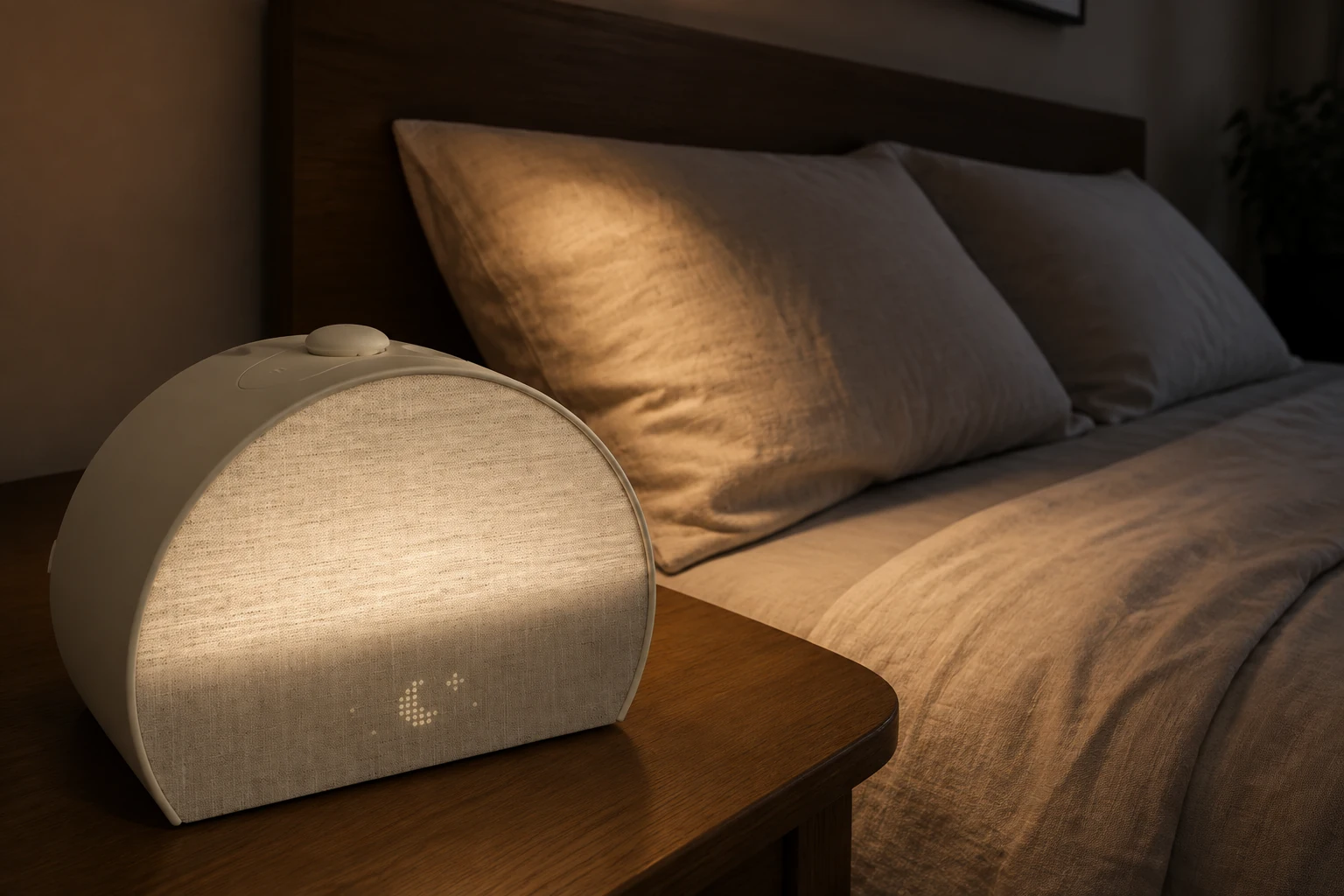
Hatch Restore 3 on a bedside table beside two unoccupied pillows in a dim bedroom
Check the planned morning light from both sides of the bed. AI-generated illustration, not a measurement of light distribution.

What to check before your first important morning

A short rehearsal should answer questions that specifications cannot settle for your household. Keep a note of the result rather than changing several settings and trying to remember what happened.

  1. Name the deadline. Write down when you need to be awake and when you need to leave the bed. Allow time for both. For Loftie, also name which stage you intend as the final cue.
  2. Confirm the schedule. Check the next intended day, the time, and whether the alarm is enabled. Pay particular attention after experimenting with a one-time alarm or taking a day off.
  3. Try the controls while awake. Practice snooze and stop separately. If you cannot explain which action you just performed, check the instructions before trusting the routine overnight.
  4. Listen from your normal sleeping position. Previewing beside the clock is not the same arrangement as lying on the pillow. Confirm the actual alarm setting, not merely the level of another sound.
  5. Check the room with lights off. Look for unwanted display glow and ask your partner to inspect their side too. Decide whether the planned morning cue is acceptable to both people.
  6. Verify your intended phone arrangement. Put the phone where you plan to leave it and try the normal evening sequence. Note any change that requires retrieving it; that is useful purchase feedback, not a failure to use the product correctly.
  7. Keep an independent fallback until the routine is established. Record what happened during ordinary mornings before relying on a new device for a flight, shift, or appointment.
Three stages of checking a new clock: confirm the schedule, rehearse controls, then review room and power needs
Use the full checklist to record what your own clock does.

If the clock repeatedly asks you to tolerate the very inconvenience you bought it to remove, reconsider the choice. A device with fewer features may suit you better than a more elaborate routine you avoid using.

For your notes, use four short entries: the cue you noticed, the action you took, any setting you had to change, and any disturbance your partner reported. Keep a missed cue separate from an alarm that was not enabled. Keep an unwanted light separate from a display that was too bright. Those distinctions tell you whether to change a setting, change the routine, or reconsider the model; “good night” and “bad night” alone do not.

Frequently asked questions

Is Loftie Clock a sunrise alarm like Hatch Restore 3?

No. The Clock has a nightlight; the separate Loftie Lamp provides sunrise lighting. Compare a Clock-and-Lamp purchase separately rather than assigning the Lamp’s functions to the Clock. Loftie product FAQ.

Which is better if I change my wake time often?

Loftie’s on-clock alarm editing is the more direct fit if you want those changes to happen without retrieving your phone. Hatch may still suit you if app-based scheduling is comfortable and integrated light matters more. Loftie alarm controls.

Can either clock guarantee I will wake up on time?

This comparison cannot establish that. We have not measured your response to either cue. Use the first-week checks, allow time to get out of bed, and keep a fallback for important mornings.

Is this the same comparison as Hatch Sleep Clock versus Restore 3?

No. Those are two Hatch models with a separate buying decision. See Hatch Sleep Clock versus Restore 3 or browse the Hatch buying guide if you are choosing within that range.

Sources and editorial method

Product identity, controls, and ownership requirements were checked against the manufacturer pages linked beside the relevant claims on September 5, 2026. We prioritize current model-specific support instructions over broad marketing labels or older comparisons. Timing uncertainty and unverified outage behavior remain explicit. No personal testing, clinical outcomes, current Amazon rating, or laboratory-derived score is claimed.